




5 n8n templates that make ad optimisation less manual

5 n8n templates that make ad optimisation less manual
If you’re managing ads and your “optimisation workflow” is still a mix of logging into ad platforms, exporting CSVs, pasting into Sheets, and then trying to remember what changed last Tuesday, you’re not optimising. You’re just doing admin.
The good news: the n8n template library already has a few workflows that map cleanly to real ad optimisation loops—daily monitoring, creative testing, landing page improvement, and getting the right alerts to the right place. Below are five templates you can copy, then adapt to your accounts and thresholds.
1) Turn daily Google Ads monitoring into Slack actions (not dashboards)
What it does
The PPC Campaign Intelligence & Optimization with Google Ads, Sheets & Slack template pulls daily Google Ads campaign metrics (clicks, impressions, conversions, costs, conversion rates), scores performance, and sends Slack alerts for scaling opportunities or urgent fixes. It also logs daily metrics to Google Sheets and can generate email reports. (n8n workflow template)
What it looks like in practice
- High performers: a Slack message that says “scale this” with supporting metrics. (n8n workflow template)
- Underperformers: an urgent Slack alert with optimisation actions. (n8n workflow template)
- A running Sheet that becomes your lightweight performance history. (n8n workflow template)
This template is opinionated about what “good” looks like because it uses AI-powered scoring on metrics like CTR, conversion rate, cost per conversion, and traffic volume. You’ll need to adjust scoring weights and thresholds to match your account reality. (n8n workflow template)
2) Automate Meta creative testing + campaign launches from a Drive folder
What it does
Automation of Creative Testing and Campaign Launching for Meta Ads watches a Google Drive folder for new image/video assets, uploads them to the Meta Ads library, creates a structured campaign, and logs created assets in Google Sheets for performance analysis. It’s designed to run on a weekly schedule. (n8n workflow template)
What it looks like in practice
- Your designer drops new creatives into a Drive folder.
- n8n does the boring parts: upload, create campaign + ad set, and keep a Sheet log you can use to track what launched when. (n8n workflow template)
You must centralise IDs up front. The template calls out a configuration step where you set your Ad Account ID, Page ID, and Pixel ID in a “Configuration” node. Skip that and you’ll spend your afternoon debugging auth and missing IDs. (n8n workflow template)
3) Fix the landing page first (because ads can’t compensate forever)
What it does
Analyze Landing Page with OpenAI and Get Optimization Tips analyses a landing page with OpenAI and returns optimisation tips aimed at improving ad performance. (n8n workflow template)
What it looks like in practice
Run it whenever you:
- launch a new campaign and want a quick “does this page match the ad intent?” check, or
- see spend rising while conversion rate drops and need a landing-page-focused diagnosis. (n8n workflow template)
This template gives “tips,” not guaranteed performance lifts. Treat it like a structured critique you can turn into a test backlog, not an oracle.
4) Use a “trends → insight → publish” loop to feed your creative pipeline
What it does
The AI-Powered Multi-Social Media Post Automation: Google Trends & Perplexity AI template generates content based on trending topics and AI insights, then automates multi-platform posting. (n8n workflow template)
How this helps ad optimisation (without pretending it’s an ads template)
If your ads rely on a constant flow of angles, hooks, and proof points, trend-driven ideation is the upstream part you keep neglecting. This workflow gives you a repeatable way to generate candidate topics and drafts you can repurpose into ad concepts. (n8n workflow template)
Trend content is noisy. You’ll still need a filter for “relevant to our ICP and offer,” otherwise you’ll produce a lot of content that looks current and performs like nothing.
5) Treat Google Sheets as your ad ops control panel (then schedule execution)
What it does
Create and Schedule LinkedIn Posts from Google Sheets with Gemini and DALL·E uses Google Sheets as the source of truth for content creation and scheduling. (n8n workflow template)
Why it belongs in an ad optimisation stack
Even if you don’t care about LinkedIn posting, the pattern matters: a Sheet-driven queue is the simplest way to run controlled experiments without building a custom UI. You can use the same control-panel approach for:
- creative testing queues,
- naming conventions,
- campaign launch checklists,
- “ready for launch” approvals.
And n8n already plays nicely with Google Sheets as an integration category in its docs. (n8n integrations docs)
A Sheet-driven system only works if you enforce structure. If everyone adds columns “their way,” it becomes spreadsheet entropy. Lock the schema early.
What to build next from here
Start with the Google Ads → Sheets → Slack template and make it your daily heartbeat, then add the Meta creative launch automation once your asset pipeline is stable. Both templates already encode the two optimisation loops most teams struggle to run consistently: monitor daily and ship new tests on schedule. (n8n workflow template) (n8n workflow template)
Sources
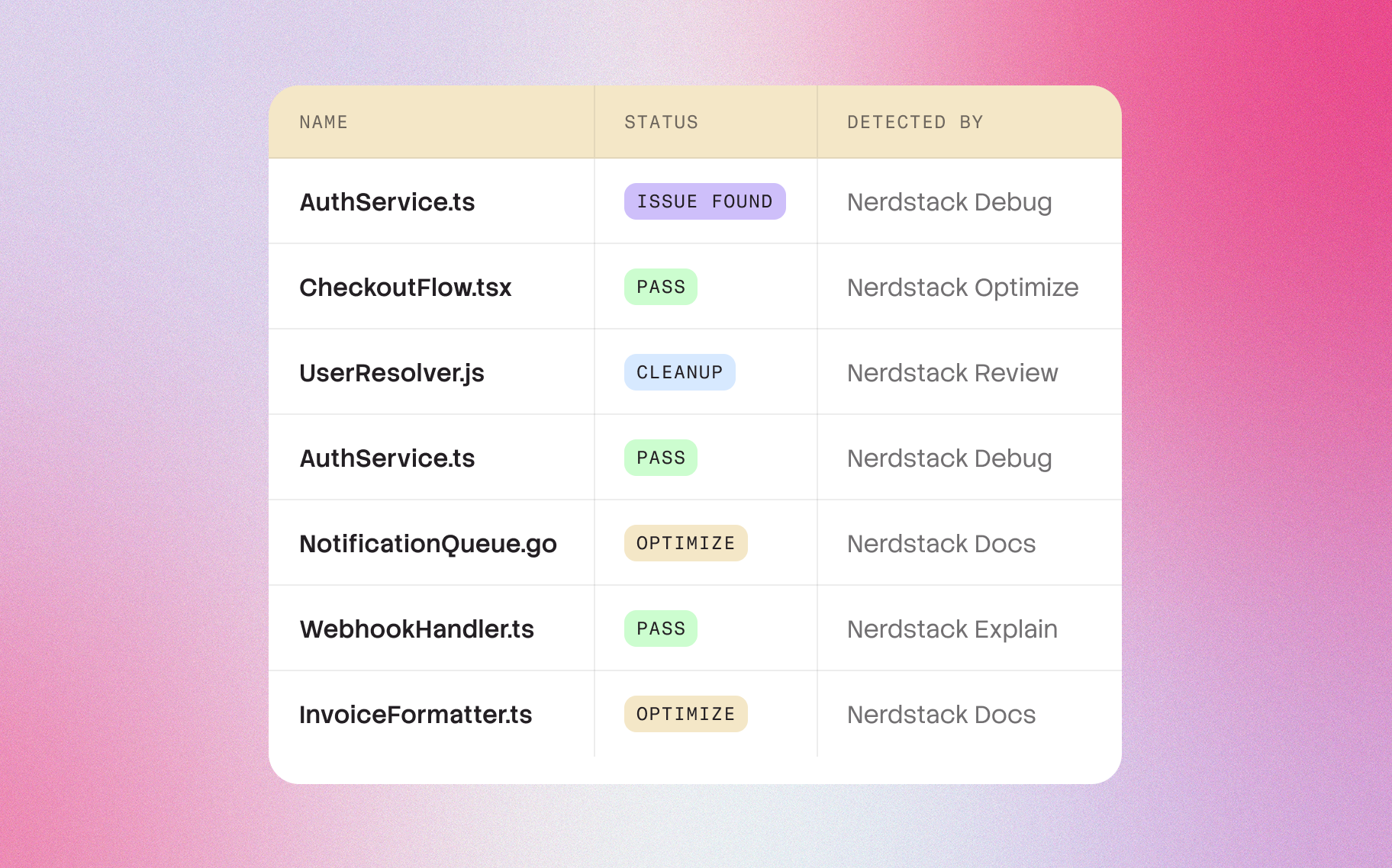
Error-handling logic in a payment flow
Another major learning was how explanations surfaced risky logic patterns that had gone unnoticed for years. By describing code the way a senior engineer would, Nerdstack implicitly highlights inconsistencies, dead paths, unreachable branches, suspicious async chains, or implicit coupling. In one case, a customer discovered a subtle retry bug that had caused unpredictable behavior for months, simply because the explanation pointed out that the function sometimes returned a pending Promise instead of a resolved one.
In another, the system identified that the error-handling logic in a payment flow silently swallowed exceptions that should have been surfaced upstream. These weren’t traditional “bugs”; they were decisions that made sense once but became liabilities over time — exactly the kind of things human-written documentation rarely captures.
Nerdstack dynamically understands
Under the hood, the entire system was built to work with real-world production codebases, not sanitized examples. This means it handles messy patterns, legacy modules, deeply nested components, and frameworks like React, Next.js, Express, Django, Laravel, and more.
Nerdstack dynamically understands how a function interacts with external systems, state, and dependencies. It maps out the control flow, identifies side effects, and extracts behavior across different execution paths. Unlike static analysis tools that often stop at type information, Nerdstack interprets intent — why a function exists, not just what it does syntactically. That difference is what turns explanations from technical summaries into something humans can actually rely on when making decisions.